
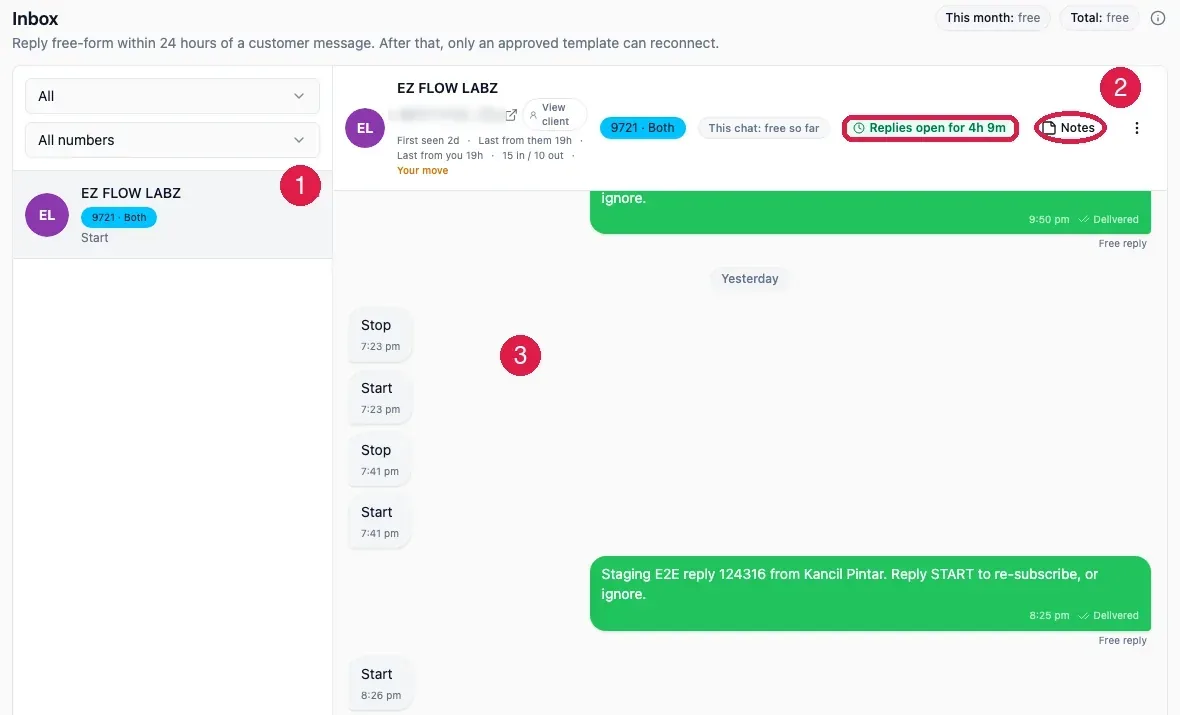
The 24 hour window
This is the one rule that explains why the reply box is sometimes open and sometimes not. When a customer messages you, WhatsApp opens a 24 hour window. Inside that window you can write anything you like, as many times as you like, and it is free. Outside it, you may only send an approved template, and that costs credits. The window closes 24 hours after their last message. The boxed chip in the picture, Replies open for 4h 9m, is the countdown.Answering a conversation
Open a conversation from the list, type your answer in the box at the bottom, and press Send or Enter. Shift plus Enter gives you a new line. The line above the box, Replying from, tells you which of your numbers the answer will leave from.
When the window has closed
If the last message from the customer is more than 24 hours old, you cannot type freely any more. Press the small document icon beside the reply box. A dialog titled Send a template opens with your approved templates. Pick one and it goes out as a normal template message and costs credits.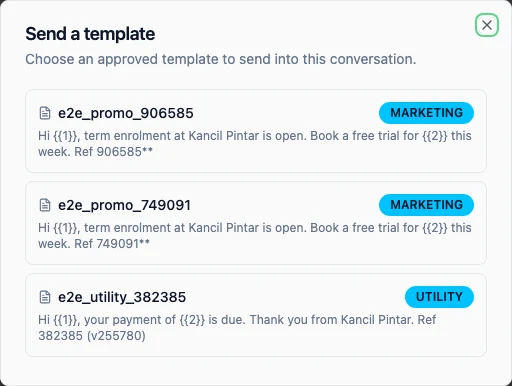
Pictures, voice notes and files
If a customer sends a picture, a voice note, a video or a file, it appears in the conversation. Audio and video play in place. Tap a picture to open it full size.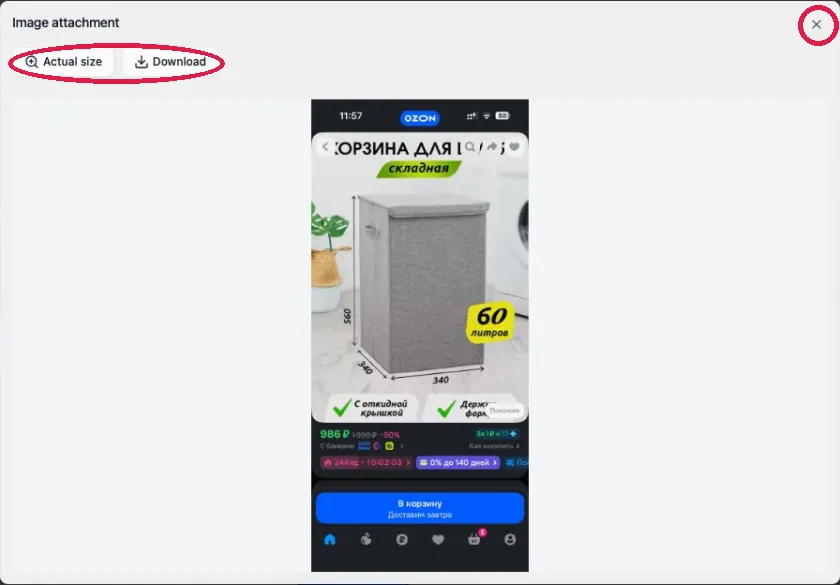
Private notes
Press Notes in the customer header to add a note to a conversation. A note is only for you and your staff. The customer never sees it, and it is never sent to WhatsApp. Use it for things like “promised a refund, waiting on approval” so whoever picks up the chat next knows where it stands.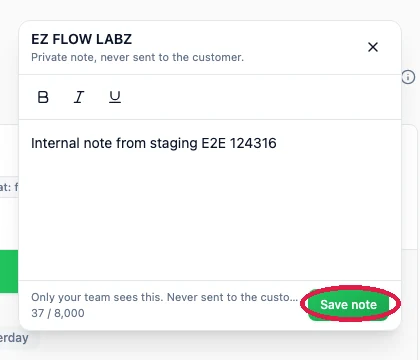
Closing a conversation
The three dots at the far right of the customer header open a small menu with Archive and Close.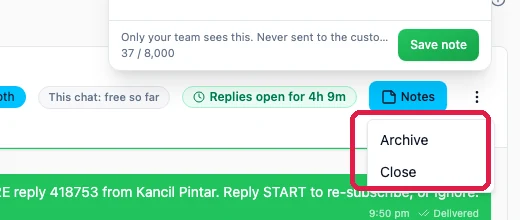
STOP and START
If a customer replies STOP, EzFlow adds them to the do-not-message list and they will not get another marketing message. If they later reply START, they are taken off it again. Both happen automatically and you will see the messages in the history.Related
Campaigns
Where most replies come from.
WhatsApp Credits
What a reply costs, and when it is free.